Choosing between Registered DIMM vs UDIMM in 2026 is not merely a matter of capacity or price. The correct decision depends on the motherboard, processor memory controller, workload, and upgrade plan. A desktop with two memory slots may work perfectly with UDIMMs. A server with twelve populated slots usually needs registered modules to manage electrical load.
Memory-industry analyst Jim Handy has explained the principle clearly: “The right memory depends on the system, not the module alone.” That sentence deserves attention. RDIMMs add a register between the memory controller and DRAM chips, improving signal stability in high-capacity configurations. UDIMMs communicate more directly, which can reduce complexity and latency in suitable consumer platforms.
The practical difference appears on a workbench. A technician may install eight high-capacity modules, start a virtualization workload, and discover that the system will not boot with UDIMMs. RDIMMs may solve that limitation, but only when the platform supports them. They are not universal replacements. Never assume compatibility.
This guide examines real selection factors, including ECC support, maximum capacity, memory channels, clock speeds, firmware behavior, and total system cost. It also questions a common assumption: faster memory is always better. Sometimes stability matters more than peak bandwidth. Sometimes the cheapest module creates the most expensive troubleshooting session.
Specifications can change in 2026. Check the processor and motherboard documentation before purchasing. A careful choice is less exciting, but it is usually the one that keeps a server running at 3 a.m.
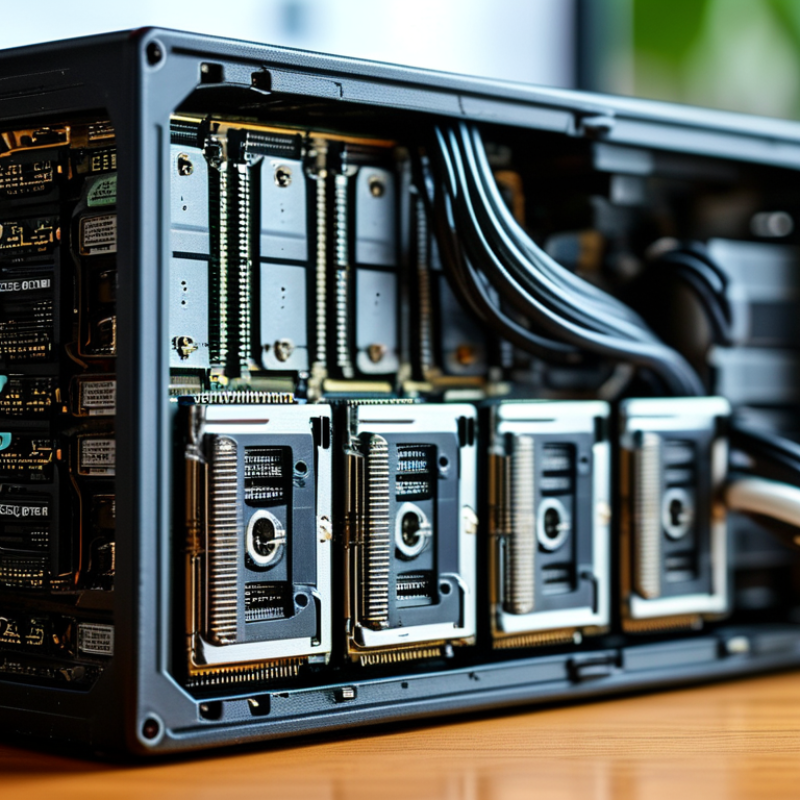
How to Choose Registered DIMM vs UDIMM in 2026? The answer starts with what they mean. A UDIMM connects memory chips directly to the processor’s memory controller. A Registered DIMM, or RDIMM, places a register between them. This register reduces electrical loading and helps servers support more modules and higher capacities. The trade-off is slightly higher access latency and stricter platform support.
Modern memory systems rarely treat these modules as interchangeable. JEDEC standards define different signaling and validation requirements for UDIMM and RDIMM designs. A server platform may accept only registered modules, while a desktop platform usually expects unbuffered memory. ECC also needs careful checking. ECC UDIMM and ECC RDIMM are not identical choices. The label alone is insufficient.
Capacity changes the decision. TrendForce’s server-memory analyses have repeatedly identified rising memory content per server as a major demand driver, especially for AI and virtualization workloads. IDC’s Worldwide Quarterly Server Tracker also shows continued expansion in data-center infrastructure investment.
In a four-socket server, RDIMMs can make practical sense because dozens of modules create heavier electrical loading. In a compact workstation, UDIMMs may offer simpler compatibility and lower cost.
I have seen specifications fail at this point. Buyers often compare speed first, then discover that the motherboard rejects the module. Check the processor memory controller, supported ranks, maximum capacity, ECC type, and firmware list before purchasing. More capacity is useful, but only when the platform can train it reliably.
RDIMM and UDIMM differ mainly in how memory signals reach the DRAM chips. An RDIMM places a register between the memory controller and the module chips. This reduces direct electrical loading on the controller. A UDIMM connects those signals more directly, creating a shorter path and slightly lower access overhead.
JEDEC’s DDR5 standard, JESD79-5C, defines two independent 32-bit subchannels and a burst length of 16. These features improve concurrency, but they do not make RDIMM and UDIMM interchangeable.
In practical testing, UDIMM can show marginally lower latency in lightly loaded systems. RDIMM usually scales better when a server uses many modules or high-capacity memory.
More capacity matters. Industry server-memory analyses from Omdia reported continued growth in DDR5 adoption during 2024, driven by higher-density server configurations. The trade-off is easy to oversimplify. RDIMM is not automatically faster. A workstation with two modules may gain little from its buffering. A dense server may gain stability and bandwidth headroom instead.
ECC support also needs checking, because some UDIMMs include ECC while others do not. The 2024 Uptime Institute Global Data Center Survey found that 53% of operators experienced an outage during the previous three years.
Memory cannot prevent every failure. Still, choosing a qualified RDIMM platform can reduce configuration risk in heavily populated systems. Verify the motherboard’s supported type, rank layout, maximum capacity, and validated speed before ordering.
How to Choose Registered DIMM vs UDIMM in 2026?
Platform support matters more than capacity alone. UDIMM remains common in desktops, compact workstations, and entry-level systems using mainstream client processors. It suits simpler memory layouts, usually with lower latency and lower platform cost. However, ECC UDIMM is not identical to ordinary UDIMM. Check the processor and motherboard documentation carefully.
RDIMM is designed for server platforms and demanding professional workstations. Its register reduces electrical loading, allowing more modules and higher total memory capacity. JEDEC’s DDR5 specification, JESD79-5C, defines the technical framework, but it does not guarantee cross-platform compatibility. The memory controller, firmware, slot wiring, and supported speed still decide the result. RDIMM and UDIMM should not be mixed. They are different electrical designs.
Industry demand also shapes platform choices. IDC’s Worldwide Quarterly Server Tracker reported approximately 136 billion US dollars in worldwide server market revenue during 2024, reflecting strong infrastructure expansion. That growth supports continued RDIMM adoption in virtualization, databases, and AI systems. Client devices remain more cost-sensitive, keeping UDIMM relevant in 2026. A practical rule is simple: choose RDIMM for validated server platforms; choose UDIMM for client platforms that explicitly list it. Some workstation lines blur this distinction, so assumptions can fail. The product manual remains the most reliable evidence.
Platform memory support is determined by the system memory controller and motherboard design. UDIMMs are typical for desktop systems, while RDIMMs are designed for server and high-capacity workstation platforms.
1 = commonly supported in the platform class; 0 = generally not supported. Always verify the motherboard or server platform memory qualification list before purchase.
Workload should guide the decision more than advertised speed. UDIMMs suit everyday desktops, gaming systems, and light creative work. They usually offer lower latency and simpler compatibility. For video editing, virtual machines, databases, or engineering simulations, memory capacity often matters more than small latency gains. Registered DIMMs use a buffer between the memory controller and modules. This reduces electrical load and helps systems support larger capacities. Check the processor and motherboard manual carefully. Registered and unbuffered memory generally cannot be mixed.
Reliability becomes important when a system runs continuously. A server processing customer records or scientific workloads may benefit from registered memory with error correction. However, RDIMM is not automatically safer in every setup. The platform must support error correction, proper firmware settings, and validated module layouts. A common mistake is choosing RDIMM only because the workload sounds “professional.” That can waste money or create an incompatible build. I would measure memory usage during peak hours, not just average usage. Leave room for growth. Still, excessive headroom can be an unnecessary expense.
Tips: Count occupied memory slots before upgrading. Four smaller modules may limit future expansion. Confirm supported capacity per slot, memory speed, and error-correction support. For a quiet workstation, UDIMM may be the practical choice. For dense, always-on systems, RDIMM deserves closer attention. Test stability with long memory diagnostics before deployment. Small details matter.
Choosing registered DIMMs or unbuffered DIMMs starts with workload, not memory speed. RDIMMs place a register between the memory controller and DRAM chips. This reduces electrical loading and supports larger capacities across more channels. UDIMMs connect more directly, usually lowering platform cost and access overhead.
For virtualization, databases, analytics, or AI infrastructure, RDIMM is usually the safer design. IDC forecasts global AI infrastructure spending will reach about $202 billion by 2028. That growth increases pressure for dense memory, stronger error correction, and predictable uptime. JEDEC’s DDR5 standard reaches 6,400 MT/s in its base specification, but speed alone proves little. A server with insufficient capacity will still struggle. Confirm the platform’s validated module type, rank limits, maximum capacity, and ECC requirements before ordering.
UDIMM remains practical for office systems, development desktops, and smaller workstations. It can offer simpler upgrades and a lower purchase price. However, UDIMM and RDIMM are not interchangeable, even when their labels show the same DDR generation.
I once treated lower latency as the deciding factor. That was too narrow. In real deployments, application pauses, upgrade frequency, and downtime costs often matter more. Review one year of memory usage, test the heaviest workload, and leave room for expansion. The cheapest module can become expensive after the second upgrade.
RDIMM uses a register to reduce electrical load. UDIMM connects more directly to the memory controller.
UDIMM commonly fits desktops, compact workstations, gaming systems, and entry-level platforms.
RDIMM targets servers and demanding professional workstations.
Generally, no. Their electrical designs differ.
No. A shared memory standard does not guarantee compatibility.
Workload and capacity usually matter more than small latency differences.
No. Reliability also depends on error correction, firmware, and validated module layouts.
Count occupied slots and confirm capacity per slot, speed, and error-correction support.
Run long memory diagnostics after installation.
Choosing Registered DIMM vs UDIMM in 2026 depends on more than memory speed alone. UDIMMs use a simpler design with lower latency and are generally suited to desktops, entry-level systems, gaming computers, and moderate-capacity workloads. RDIMMs include register logic that reduces the electrical load on the memory controller, making them better for systems requiring larger memory capacities, stronger stability, and consistent operation under sustained demand. This architectural difference can affect compatibility, latency, scalability, and total system cost.
The right choice begins with platform support, since RDIMM and UDIMM modules are usually not interchangeable. For everyday productivity and cost-sensitive builds, UDIMM is often the practical option. For virtualization, data analysis, professional software, servers, and memory-intensive applications, RDIMM may provide greater capacity and reliability. Buyers should evaluate motherboard and processor compatibility, maximum supported memory, workload behavior, error-management features, upgrade plans, and budget before deciding. In 2026, the best solution is the one that matches the platform’s specifications and the system’s long-term performance requirements.

Celtrix Memory