How much DDR5 RAM do I need in 2026? The practical answer depends on what your computer does each day, not simply its age or price. A laptop used for email, documents, and streaming may run comfortably with 16GB. Open several browser tabs, join a video call, and edit large photos at once, and that same capacity can feel tight. For many gaming and general-purpose desktop builds, 32GB offers more breathing room. Some demanding games, creative applications, and virtual machines can benefit from 64GB or more.
Those figures are starting points, not guarantees. A game’s memory use changes with its settings, background applications, and updates. Video editing can also require far more memory when working with high-resolution footage or complex effects. Check the recommended specifications for the programs you actually use, then consider how many you keep open together. Real workloads are messy.
Capacity is only part of the decision. Your motherboard or laptop must support the memory type and module size, and some laptops have RAM soldered in place. A matched two-module kit can also help a desktop use dual-channel memory, but compatibility details vary by system. More RAM will not automatically make an older processor or storage drive feel fast. It may not fix the real bottleneck. This guide explains sensible DDR5 capacities for everyday computing, gaming, and professional workloads, while noting when an upgrade is worthwhile. If you are unsure, leave room for your habits to change—but avoid paying for capacity your software will never use.
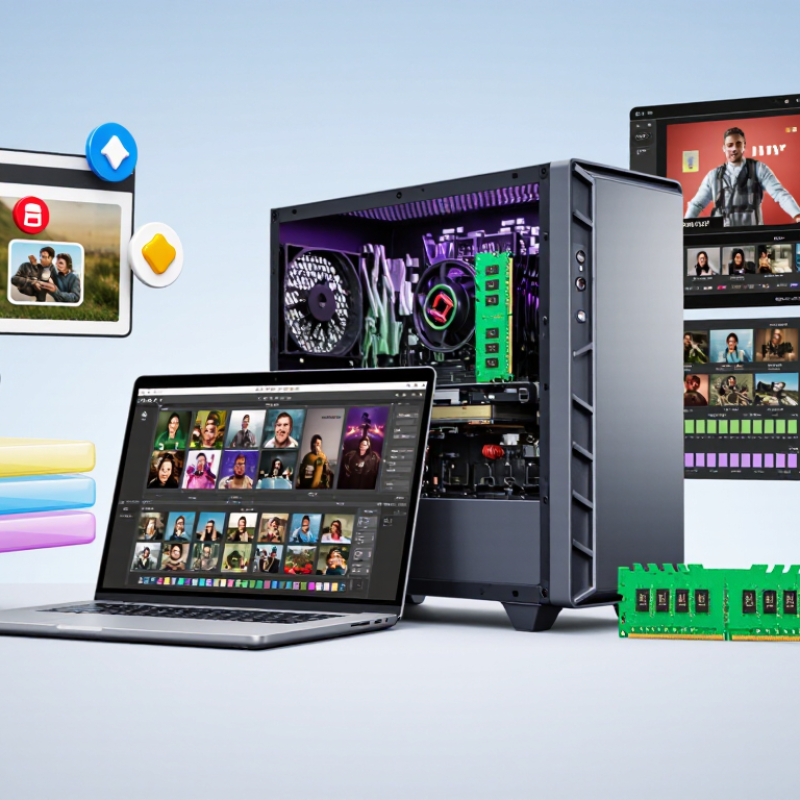
DDR5 capacity and speed describe different things. Capacity, measured in gigabytes, is how much data memory can hold at once. Speed is commonly listed in MT/s, or millions of transfers per second. JEDEC’s standard DDR5 data rates extend up to 6400 MT/s. That is not 6400 MHz: DDR transfers data more than once per clock cycle.
More capacity helps when many applications, browser tabs, or large files are open together. A game may run smoothly with less memory until a voice chat, recording tool, and background tasks compete for space. When physical memory fills, the computer may rely more on storage, which can feel slower. The right amount depends on your workload, not just a speed number on a module.
A 6400 MT/s rating also does not guarantee that every computer will run memory at that rate. The processor, motherboard, and number of installed modules can affect the supported speed. Some memory settings above standard specifications require a compatible system and manual or automatic configuration. Check the system’s published limits before buying. It is easy to focus on the highest number and overlook capacity; I have made that trade-off too quickly myself. A little headroom can matter more than a small speed increase.
A practical guide to memory capacity, common configurations, and DDR5 data rates
| Total Capacity | Typical Configuration | Best Suited For | Practical Guidance | DDR5 Data-Rate Examples |
|---|---|---|---|---|
| 8 GB | 1 × 8 GB | Basic tasks such as light browsing, document editing, and simple single-purpose systems. | Very limited for a modern multitasking desktop. Choose a larger capacity if several applications or browser tabs are used at once. | 4800–6400 MT/s, depending on the memory module and platform support. |
| 16 GB | 2 × 8 GB | Everyday computing, schoolwork, office applications, and lighter gaming. | A reasonable entry-level amount. Two modules can enable a wider memory configuration on platforms that support it. | Common standardized rate examples include 4800, 5200, 5600, 6000, and 6400 MT/s. |
| 32 GB | 2 × 16 GB | General-purpose gaming, frequent multitasking, programming, and photo editing. | A versatile choice for many desktop users. It provides more room for background applications and larger projects than 16 GB. | Rates through 6400 MT/s are listed here as the reference range; the usable rate depends on the system. |
| 48 GB | 2 × 24 GB | Users who need more headroom for demanding games, creative applications, or multiple active projects. | A useful intermediate capacity where compatible 24 GB modules are supported by the motherboard and processor. | Check the platform's memory specifications for supported rates and module configurations. |
| 64 GB | 2 × 32 GB | Video editing, large image projects, virtual machines, software development, and heavier multitasking. | Choose this when your applications or workflows regularly use more than 32 GB; otherwise, extra capacity may provide little practical benefit. | Capacity and data rate are separate specifications; a higher rate does not replace the need for sufficient capacity. |
| 96 GB or more | 2 × 48 GB or a supported multi-module configuration | Large datasets, professional creative work, multiple virtual machines, and memory-intensive workloads. | Confirm the maximum capacity and supported module arrangement in the system documentation. More modules can affect achievable memory speed. | Actual operating speed may be below the module's rated data rate, depending on the processor, motherboard, and configuration. |
How to read the speed: MT/s means millions of transfers per second; it is a data-rate unit, not the same as clock frequency in MHz. DDR5 data-rate examples shown here run from 4800 to 6400 MT/s. The rate a system actually uses depends on processor and motherboard support, module count, and system settings. Capacity recommendations are practical guidelines, not minimum requirements for every application.
Often, yes. It can handle one game, voice chat, and a browser with a few tabs. Graphics settings, processor limits, and memory speed also affect performance.
It helps when a game runs beside streaming software, many browser tabs, or creative apps. If memory stays nearly full, pauses may appear. More capacity gives breathing room, but it will not fix every stutter.
It can work for simple HD timelines. Several video tracks or heavy effects may need more room. Keep the editor and other open tools in mind.
32 GB is a safer baseline for regular 4K projects. Noise reduction, color effects, and multiple tracks can increase memory use. A short clip may still run comfortably.
Consider it for complex creative projects, virtual machines, large datasets, or several demanding tasks at once. It depends. More memory may not help if your projects use far less.
Check usage during a typical busy session, especially when performance dips. Watch for high, sustained use, heavy disk activity, and pauses when switching apps. A quiet desktop check tells you little.
No. More RAM mainly helps when capacity is limiting your workload. A slow processor or weak graphics hardware can still hold back editing or games.
Check your motherboard’s memory limits, supported configurations, and available slots. An upgrade may require replacing existing modules. I would not base the decision on one unusually busy day; my estimate could change with larger projects.
How much DDR5 RAM do I need in 2026? The right amount depends on what you do, how many applications you keep open, and how much room you want for future needs. DDR5 capacity and speed are separate considerations: data rates can reach 6400 MT/s under current memory specifications, but more capacity is often the more noticeable upgrade when your system runs short of available memory. While 4 GB is a basic minimum for a modern operating system, it is not a practical target for most everyday use.
For gaming, 16 GB can suit lighter titles and modest multitasking, while 32 GB offers more breathing room for demanding games, background apps, and newer releases. Creative workloads also benefit from extra capacity: 16 GB can cover many high-definition tasks, whereas 32 GB is a stronger starting point for 4K projects. Consider your actual workload, multitasking habits, and upgrade plans; choose enough RAM for smooth use today without paying for capacity you are unlikely to need.

 Celtrix Memory