In today's tech landscape, understanding the key differences between Server RAM and Desktop RAM is crucial. Data from market analysis firms indicates that the global server RAM market is projected to reach $78 billion by 2027, reflecting a significant rise in demand for high-performance computing. This growth emphasizes the need for organizations to comprehend their memory requirements thoroughly.
Server RAM is specifically designed for demanding applications and multi-user environments. With error-correcting code (ECC) technology, it ensures stability and reliability under heavy workloads. On the other hand, Desktop RAM primarily caters to individual users and standard applications. Its focus is on speed and efficiency but lacks the advanced error correction features found in server counterparts.
As we dive deeper into Server RAM vs Desktop RAM, it becomes evident that each serves a different purpose in computing. Many users overlook these nuances, potentially affecting performance and productivity. Understanding these distinctions can lead to informed decisions when upgrading or building systems, enabling optimal utilization of resources.
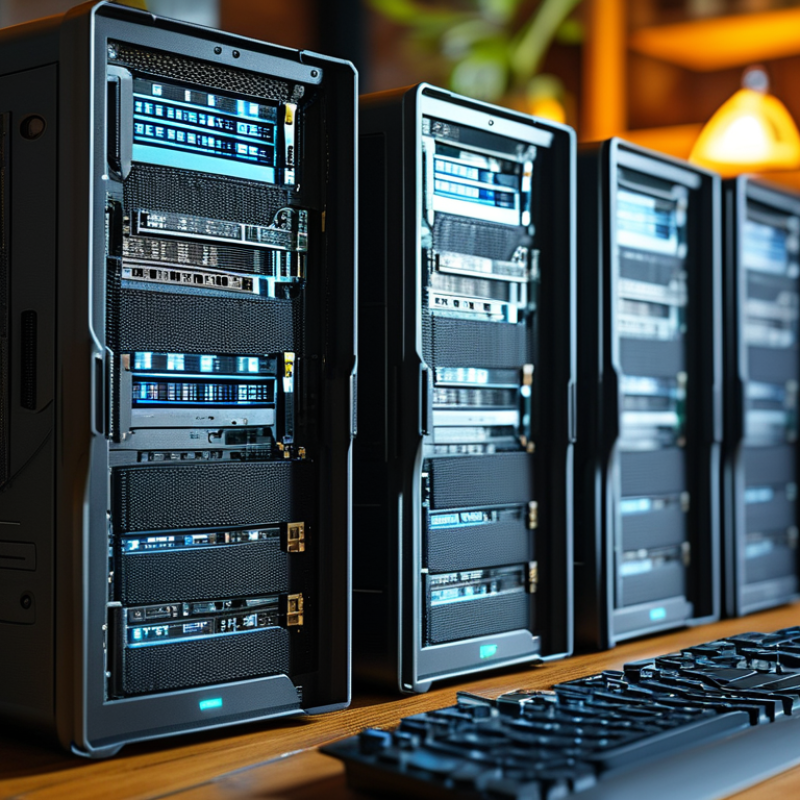
Server RAM and desktop RAM serve distinct purposes in computing environments. Understanding these differences is crucial for making informed hardware choices. Server RAM is designed for heavy workloads, offering higher durability and error correction capabilities. In contrast, desktop RAM caters to general computing tasks and offers faster speeds, but it lacks the robust features needed for server stability.
Enterprise systems demand more from RAM. According to industry reports, server RAM typically incorporates ECC (Error-Correcting Code), which detects and corrects data corruption. This is vital for databases and applications where uptime is critical. Desktop RAM functions well in everyday applications but may lead to instability in high-demand environments.
When selecting RAM, consider the expected use case. If running servers that manage multiple tasks, invest in server-grade RAM. For regular home use, standard desktop RAM suffices. Reflect on your workload to avoid overspending on unnecessary features. Remember, a poor RAM choice can lead to performance issues or increased downtime, impacting productivity.
| Feature | Server RAM | Desktop RAM |
|---|---|---|
| Purpose | Optimized for stability and uptime | Designed for general usage and multitasking |
| Capacity | Typically higher capacity (e.g., 64GB, 128GB+) | Usually lower capacity (e.g., 8GB, 16GB, 32GB) |
| Error Correction | ECC (Error-Correcting Code) support | Non-ECC, common for consumer use |
| Performance | Consistent performance under heavy loads | Performance may vary under heavy multitasking |
| Cost | Generally more expensive due to higher reliability | More affordable, focused on consumer market |
| Form Factor | Registered DIMMs, usually larger | Unbuffered DIMMs, commonly used |
| Use Case | Servers, data centers, mission-critical applications | Personal computing, gaming, office applications |
When comparing server RAM and desktop RAM, several key performance differences emerge. Server RAM, often designed for reliability, supports error-correcting code (ECC). This feature enables the detection and correction of data corruption, crucial for maintaining data integrity in server environments. In contrast, desktop RAM typically does not include ECC. According to industry reports, systems utilizing ECC can operate with a failure rate as low as 0.05%, whereas non-ECC systems might experience errors more frequently.
Additionally, server RAM is built to handle higher workloads. It is optimized for multi-tasking and can support a larger number of memory modules, allowing for greater scalability. A study conducted by TechInsights revealed that server RAM can manage bandwidths exceeding 300 GB/s, compared to the 25-30 GB/s common in desktop RAM. This difference is significant for enterprises running heavy applications, where processing speed and efficiency are vital.
Moreover, the lifespan of server RAM often outstrips that of desktop RAM. Server components are frequently tested to last up to 10 years under continuous operation, while desktop variants are typically rated for around 5 years. This durability aligns with the demanding nature of data centers, where uptime is critical. Despite these advantages, the cost of server RAM is notably higher, prompting some users to opt for desktop solutions, which may not provide the same level of performance or reliability.
This chart illustrates the key performance differences between Server RAM and Desktop RAM based on important metrics such as latency, bandwidth, and capacity.
When considering RAM for servers versus desktops, capacity and scalability emerge as key factors. Server RAM, typically, supports larger memory capacities. It often begins at 16GB and can be expanded to 1TB or more. Data shows that the average server can utilize up to 64GB for handling multiple applications simultaneously. In contrast, desktop RAM usually maxes out at 32GB for many standard configurations. This difference is crucial for applications requiring extensive data processing.
Scalability is another major aspect. Server RAM is designed for easy upgrades. Server architectures can seamlessly integrate additional RAM without significant downtime. Studies indicate that organizations report a 20% increase in operational efficiency when utilizing appropriate server RAM configurations. Desktops, however, may have limited upgrade options based on motherboard capabilities. This difference often stunts the growth of computing performance at the desktop level.
Furthermore, the error correction capabilities of server RAM enhance reliability. ECC (Error-Correcting Code) memory can identify and correct data corruption, a feature rarely found in desktop RAM components. According to industry analysis, systems utilizing ECC can reduce crash rates by up to 50%. This aspect not only points to the reliability but also underscores the ongoing need for superior hardware in critical environments.
When evaluating RAM for servers versus desktops, reliability is pivotal. Server RAM often includes error-correcting code (ECC) technology. ECC improves data integrity by detecting and correcting single-bit errors. This is crucial for servers that handle extensive data processing and storage. According to a report from the International Data Corporation (IDC), ECC memory can reduce system errors by about 60%. This reliability is necessary for mission-critical applications.
In contrast, desktop RAM generally lacks ECC. While desktop systems can benefit from speed and performance, the absence of error-correction makes them less reliable for data-intensive tasks. A study by Gartner reveals that technical failures in desktop systems arise in 10% of cases each year. For enterprise applications, such failures can lead to significant downtime and financial losses. Thus, weighing the need for speed against the need for reliability becomes essential in choosing RAM for your system.
For data centers, the cost of memory is often justified by its performance. Yet, the investment in ECC RAM is worth considering. It not only enhances system stability but also minimizes unexpected errors that could disrupt operations. Balancing these elements requires careful assessment, especially for businesses relying on consistent uptime.
When comparing server RAM and desktop RAM, cost dynamics play a crucial role. Server RAM usually comes with a higher price tag. This is due to its advanced features and enhanced performance capabilities. These components are designed for heavy workloads, delivering stability and reliability. Desktop RAM, on the other hand, offers a more budget-friendly option. It meets the needs of everyday computing without excessive costs.
Tips for budget-conscious buyers include evaluating your specific needs. If you don’t run intensive applications, desktop RAM may suffice. However, if you manage servers or large databases, investing in server RAM is wise. Its durability reduces the risk of downtime, which can be expensive for businesses.
Be mindful of compatibility when choosing RAM. Ensure that your motherboard supports the type you plan to buy. Also, consider future-proofing your purchase. Investing in better RAM now can save on upgrades later. Always weigh the costs against your performance requirements to make an informed decision.
M and desktop RAM?
ECC detects and corrects errors, ensuring data integrity. This is crucial for maintaining reliability in server operations.
Server RAM can handle bandwidths over 300 GB/s. In contrast, desktop RAM typically supports 25-30 GB/s, affecting processing speed.
Server RAM can last up to 10 years under continuous use. Desktop RAM generally lasts around 5 years, less suited for demanding tasks.
Server RAM's advanced features and performance capabilities drive its higher price. It is built for heavy workloads and reliability.
If you only need basic computing without intensive applications, desktop RAM is often sufficient and more cost-effective.
Always check your motherboard specifications. Ensure it supports the type of RAM you are considering for a successful upgrade.
Yes, investing in higher-quality RAM could save you from costly upgrades in the future. Consider your long-term needs.
Cheaper RAM may not offer the same level of reliability or performance. This could lead to more frequent errors and downtime.
It can be worth it if you manage databases or critical applications. Server RAM’s durability reduces downtime risks, which is financially beneficial.
In the discussion of Server RAM vs desktop RAM, it's crucial to understand their different purposes and use cases. Server RAM is designed for high-performance servers that require robust scalability and reliability, supporting multiple tasks and services simultaneously. In contrast, desktop RAM often focuses on single-user performance for gaming or basic computing tasks.
When comparing these two types of RAM, key performance differences emerge, including speed, capacity, and error-correction features. Server RAM typically features higher capacities, advanced error-correction mechanisms, and greater reliability to handle critical workloads, whereas desktop RAM prioritizes cost-effectiveness and user-oriented performance. Evaluating the pricing dynamics also highlights the cost considerations tied to each RAM type, making it essential for users to choose based on their specific needs and workloads.

Celtrix Memory