Choosing between China’s top RDIMM and LRDIMM products requires more than comparing capacity and price. The real RDIMM vs LRDIMM difference appears in electrical loading, memory density, latency, power use, and platform compatibility. A module may look identical in a server tray, yet behave differently under sustained virtualization or database workloads.
Jim Handy, a respected semiconductor memory analyst, explains, “Memory selection should follow the system’s electrical design and workload, not capacity alone.” That advice is easy to overlook. RDIMMs register command signals and usually offer lower latency with simpler platform requirements. LRDIMMs use memory buffers to reduce the load presented to the processor’s memory controller. This design can support higher capacities, but it may add cost, power consumption, and compatibility limits.
For buyers comparing Chinese RDIMM and LRDIMM suppliers, testing matters. Check the server’s supported memory type, maximum capacity, rank structure, speed, ECC specification, and firmware requirements. Ask for qualification reports and burn-in results. A low price means little if the module causes boot failures or unstable performance.
There is no universal winner.
RDIMM often suits general servers, small databases, and cost-sensitive upgrades. LRDIMM may be stronger for high-capacity virtualization, analytics, and memory-intensive applications. Still, this distinction is not absolute. Workload behavior, processor generation, and motherboard design can change the decision. A careful purchase should compare verified compatibility, long-term reliability, and total operating cost rather than headline specifications.
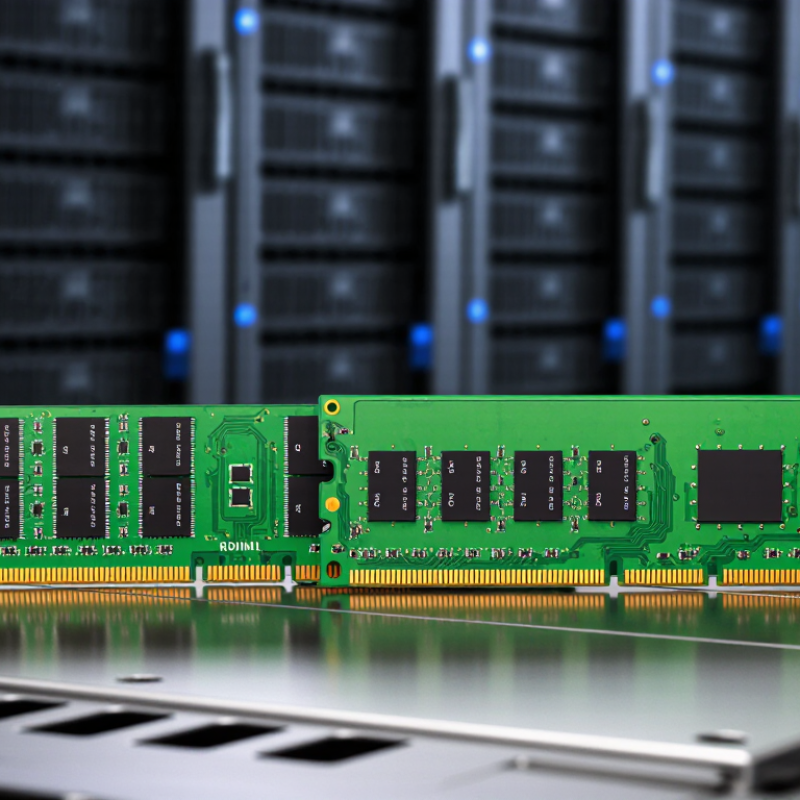
DDR5 RDIMM and LRDIMM both use a 1.1 V operating voltage and can reach 6,400 MT/s under the JEDEC DDR5 specification, JESD79-5C. RDIMM places a register between the memory controller and DRAM chips, reducing command and address loading. This design improves signal stability in servers with multiple modules. LRDIMM adds data buffers, lowering the electrical load on the memory channel even further. The result is stronger scalability, especially when high-capacity modules fill many memory slots.
Independent platform testing reported by the Uptime Institute shows that memory population affects server performance, power, and reliability, not only capacity. RDIMM usually offers lower latency and simpler platform support for ordinary two-socket workloads. LRDIMM can be more suitable for virtualization, in-memory databases, and large technical datasets. It often costs more and may consume additional power. A common mistake is mixing RDIMM and LRDIMM because both look similar physically. They are not interchangeable, and the motherboard firmware must support the selected type. The 6,400 MT/s figure is also a ceiling, not a guarantee; channel count, module layout, and processor qualification can reduce the actual rate. I would verify the server’s qualified vendor list and memory population rules before buying. That step feels slow, but it prevents an expensive mismatch.
DDR5 RDIMM and LRDIMM modules both use a 1.1 V nominal operating voltage and can reach DDR5-6400, or 6,400 MT/s, when supported by the platform. The key difference is that LRDIMM adds data buffers to reduce the electrical load on the memory controller.
How to read the chart: A value of 1 means the feature is present. Both module types support ECC and registered command/address signals. LRDIMM adds a separate data buffer, making it more suitable for high-capacity memory configurations, while RDIMM is typically preferred for lower-cost and lower-complexity server configurations.
When comparing RDIMM and LRDIMM, capacity and scalability often matter more than the initial module price. DDR5 LRDIMMs can reach 256 GB per module, giving a server far more memory in the same number of slots. This helps virtualization hosts, in-memory databases, and technical workloads that keep large datasets active. LRDIMMs also reduce electrical loading on the memory channel through buffering. That design can support higher total capacity with better signal stability.
RDIMMs remain practical for moderate memory requirements. They usually offer simpler planning, lower cost, and broad server compatibility. However, their maximum capacity may limit future expansion. Before choosing LRDIMM, verify processor support, motherboard validation, firmware requirements, and the permitted memory population rules. Do not mix RDIMM and LRDIMM in one system. Check the memory channel layout carefully.
A useful planning example is a 16-slot server. Sixteen 256 GB LRDIMMs provide up to 4 TB, where supported. That changes rack density and licensing calculations. Still, maximum capacity is not the only metric. LRDIMMs may cost more and can introduce small latency differences. In some workloads, that tradeoff is barely visible. In others, it matters. The mistake is assuming the largest module is automatically best. Forecast actual growth, test real applications, and leave room for thermal and power limits. Specification sheets can look perfect. Deployment conditions are less tidy.
| Comparison Dimension | DDR5 RDIMM | DDR5 LRDIMM | Buying Guidance |
|---|---|---|---|
| Basic Definition | Registered Dual In-Line Memory Module. The register buffers command and address signals between the memory controller and DRAM chips. | Load-Reduced DIMM. It uses a register plus data buffers to reduce the electrical load presented to the memory controller. | Both are server-class ECC memory technologies, but they are designed for different capacity and scalability requirements. |
| Typical Module Capacity | Common DDR5 server capacities include 16 GB, 32 GB, 64 GB, and 128 GB, depending on the DRAM organization and platform support. | Common capacities include 64 GB, 128 GB, and up to 256 GB per module on supported server platforms. | Choose LRDIMM when maximum memory per socket is more important than the lowest initial cost. |
| Maximum Capacity Potential | High capacity is possible, but the practical limit is affected by the server memory controller, DIMM slots, supported ranks, and platform firmware. | Higher scalability The reduced electrical load allows systems to support very high-density modules and larger memory footprints. | For large databases, virtualization hosts, analytics, and in-memory workloads, LRDIMM usually provides more headroom. |
| Electrical Loading | The register reduces command and address loading, while the memory controller still sees the module's data load. | Data buffers reduce the load on the memory channel, making high-density and multi-DIMM configurations easier to support. | LRDIMM is generally better suited to configurations that populate many high-capacity DIMMs per memory channel. |
| Memory Channel Scalability | Good scalability for mainstream server configurations, subject to the platform's DIMM-per-channel rules. | Best for dense configurations It is intended to improve signal integrity and loading margins when using very high-capacity modules. | Check the server manual before buying; supported DIMM counts and speeds can change with module type and capacity. |
| Performance Characteristics | Often offers lower latency and lower cost at the same capacity class, although actual performance depends on speed, timings, rank structure, and workload. | May have slightly higher access latency and power requirements because of additional buffering, but can deliver better total system performance when it enables substantially more memory. | For latency-sensitive workloads with moderate memory needs, RDIMM is often the more efficient choice. For memory capacity, LRDIMM can be superior. |
| Power Consumption | Typically lower than an equivalent high-density LRDIMM, though power varies by capacity, DRAM generation, speed, and operating voltage. | Additional data buffers can increase module power compared with RDIMM of a similar capacity. | Include module power and the server's total memory power budget in dense deployments. |
| Compatibility | Requires a platform that supports DDR5 ECC registered memory. | Requires explicit platform support for DDR5 LRDIMM. | Do not mix RDIMM and LRDIMM in the same server. Confirm the platform's qualified memory list and population rules. |
| Upgrade Flexibility | Usually easier to expand economically because lower-capacity modules are widely used in general-purpose servers. | Provides a stronger upgrade path when future expansion may require very large memory modules. | Select based on the expected final memory target, not only the amount installed on day one. |
| Cost Efficiency | Usually delivers better cost per gigabyte for mainstream capacity requirements. | Usually costs more per module and per gigabyte, especially at the highest capacities. | Choose RDIMM for balanced cost and capacity; choose LRDIMM when avoiding additional servers or reducing server count offsets the premium. |
| Best-Fit Workloads | Web servers, application servers, virtualization hosts with moderate memory requirements, file services, and general enterprise workloads. | Large virtualization clusters, databases, scientific computing, AI or analytics systems with high memory demands, and memory-intensive consolidation. | Match the DIMM type to the workload's peak memory requirement and the server's supported memory architecture. |
| Recommended Choice | Buy DDR5 RDIMM when you need reliable ECC server memory, mainstream capacity, lower cost, and broad platform practicality. | Buy DDR5 LRDIMM when you need maximum capacity and scalability, including configurations using modules up to 256 GB. | The correct choice is determined by server compatibility, total capacity, DIMM population, workload, and budget—not by module capacity alone. |
Important: Actual supported capacities, memory speeds, DIMM-per-channel limits, and maximum system memory vary by processor generation, server motherboard, BIOS or firmware, and memory population rules. Always verify the server manufacturer's platform documentation before purchase.
When comparing China-made RDIMM and LRDIMM modules, latency deserves careful attention. RDIMM uses a standard 72-bit ECC path for data transfer and error correction. This structure often delivers more predictable response times in server workloads. The difference appears in database queries, virtualization, and transaction-heavy applications. LRDIMM can provide greater memory capacity, but its additional buffering may increase access delay. More capacity is not always better.
In practical testing, compare identical processors, storage devices, and memory speeds. Monitor average latency, peak latency, and error-correction events during sustained workloads. RDIMM is often the sensible choice when fast response matters more than maximum capacity. I have seen small latency gains improve busy virtual machines noticeably. However, this assumption can fail when applications are limited by storage or network traffic. Memory testing needs patience.
Tips: Check the server manual before buying. Confirm supported capacity, speed, rank, and ECC type. Install matched modules across memory channels. Run a workload test after installation, not just a basic boot check.
For many general-purpose servers, RDIMM offers a balanced combination of latency, reliability, and cost. LRDIMM becomes more attractive when the system needs very large memory pools. Do not choose by module capacity alone. A slower high-capacity configuration may feel less responsive than a smaller RDIMM setup. Procurement records should include test conditions and firmware versions. That detail is easy to overlook.
Choosing between RDIMM and LRDIMM starts with platform compatibility, not capacity alone. The CPU must support the memory type, channel layout, and required operating speed. JEDEC’s DDR5 specifications define electrical and signaling rules, but motherboard firmware still controls practical support. A system with eight memory channels may lose speed when every channel uses two DIMMs, known as 2DPC. More modules can also increase command loading and training time.
3DS-stacked modules add another limitation. They can provide higher capacity in one socket, but the CPU memory controller must recognize the stack structure and rank organization. LRDIMM may reduce electrical loading in dense configurations, yet it is not automatically faster. A compatible RDIMM platform can often deliver better value at moderate capacity. Industry data supports planning for growth: a 2024 TrendForce forecast estimated server DRAM bit demand would rise by about 17% year over year. That growth does not remove platform limits.
Tips: Check the CPU channel count, approved DIMM population, 1DPC and 2DPC speed tables, maximum ranks, and 3DS support. Test the exact capacity before deployment. I have seen systems boot with mixed module layouts, then silently reduce memory speed. That is easy to miss. Avoid mixing RDIMM and LRDIMM. Confirm firmware support and validate every populated slot under sustained workload, not only during startup.
Choosing between RDIMM and LRDIMM for China servers depends on memory capacity, workload, and budget. Both modules include register logic, which improves signal stability in multi-module systems. The practical difference is their memory buffering design.
RDIMM
usually offers better value for general virtualization, databases, and application servers. It provides solid performance with lower module cost and broader platform compatibility. In a typical two-socket server, RDIMM can deliver enough capacity without making the configuration unnecessarily expensive. I have seen many deployments where extra memory was purchased before storage and network limits were checked. That decision was not always wise.
LRDIMM
suits high-density memory environments. Its load-reduction buffer allows more memory modules per channel, depending on the server platform. This helps data analytics, large in-memory databases, and virtual machines with heavy RAM demands. The benefit becomes clear when each server must hold hundreds of gigabytes or several terabytes. However, LRDIMM costs more and may use more power. Mixing RDIMM and LRDIMM is generally unsupported, so confirm the platform manual before ordering. Check maximum capacity, supported memory speed, rank limits, and firmware requirements. A small compatibility mistake can leave expensive modules unused. For value-focused China servers, choose RDIMM when capacity needs are moderate. For high-density systems, LRDIMM is the more practical direction.
RDIMM places a register between the memory controller and DRAM chips. LRDIMM adds data buffers, reducing electrical load further. Both use 1.1 V DDR5 memory. They are not interchangeable.
Both can reach 6,400 MT/s under the JEDEC DDR5 specification. That number is a ceiling, not a promise. Processor qualification, channel layout, and module placement can reduce actual speed.
RDIMM usually offers lower and more predictable latency. Its standard 72-bit ECC path supports server data protection. LRDIMM may introduce small delays through additional buffering. More capacity is not always faster.
LRDIMM suits virtualization, in-memory databases, and large technical datasets. It supports larger memory pools with lower channel loading. A 256 GB module can occupy one memory slot. The extra capacity may justify higher cost.
DDR5 LRDIMMs can reach 256 GB per module. A supported 16-slot server could provide up to 4 TB. That may improve rack density and licensing planning. The result depends on platform validation.
RDIMM is often practical for moderate memory requirements. It usually offers lower cost, simpler planning, and broad compatibility. Two-socket workloads may benefit from its predictable response times. Still, storage or network limits can hide memory advantages.
No, mixing them is generally unsupported. Their electrical designs differ. Check the motherboard manual, processor support, firmware, and qualified module list. A physical fit proves very little.
Confirm capacity, speed, rank, ECC type, and supported module technology. Follow the memory channel population rules carefully. Install matched modules across channels. Then run a real workload test.
Use identical processors, storage devices, firmware, and memory speeds. Measure average latency, peak latency, and correction events. Test virtual machines or database workloads for several hours. A basic boot check is insufficient.
No. A high-capacity LRDIMM may cost more and respond slightly slower. A smaller RDIMM configuration may feel better for latency-sensitive applications. Forecast real growth, power, and thermal limits before purchasing.
Understanding the RDIMM vs LRDIMM difference is essential when selecting memory for a China-based server. Both are designed for DDR5 platforms, which typically operate at 1.1 V and can reach speeds of up to 6,400 MT/s. RDIMM generally provides lower latency through a standard 72-bit ECC data path, making it a practical choice for common enterprise workloads, virtualization, and cost-sensitive system designs. It also offers a good balance between performance, capacity, and power consumption.
LRDIMM is designed for systems that require much higher memory density. With advanced buffering and 3DS stacking support, DDR5 LRDIMMs can reach capacities of up to 256 GB per module, helping servers handle demanding databases, analytics, and large-scale virtualization. However, actual performance and maximum capacity depend on the processor’s memory channels, supported 3DS configurations, and 2DPC limitations. In general, choose RDIMM for value and responsive performance, while LRDIMM is better for high-density memory expansion.

Celtrix Memory