China Top 10 RAM Brands How Does RAM Affect CPU Performance?

Time:2026-09-23 Author:Sienna
0%

Choosing the right memory can change how a computer feels during everyday work. A system with a modern CPU may still pause when RAM capacity is too low. Web pages reload slowly. Large spreadsheets hesitate. Games may stutter when background applications consume available memory. This guide examines China’s top 10 RAM brands and explains the practical connection between memory and processor performance.

The central question is simple: How RAM affects CPU performance depends on capacity, speed, timings, and system workload. RAM does not usually make the CPU itself more powerful. Instead, it gives the processor faster access to frequently used data. When data stays in memory, the CPU spends less time waiting for storage. Dual-channel operation can also increase bandwidth, especially in integrated graphics systems. However, higher frequency alone is not always the best upgrade. Compatibility, latency, motherboard support, and stable firmware matter just as much.

The brand comparison considers product quality, testing practices, specifications, warranty policies, and user experience. It will discuss recognized Chinese manufacturers and their positions in consumer, gaming, workstation, and industrial markets. Real performance can vary between product batches. That detail is easy to overlook. Reviews may also use different CPUs, boards, and software, making direct comparisons imperfect. I have found that a balanced upgrade often matters more than an impressive specification sheet. A reliable 32GB kit may deliver smoother multitasking than a faster 16GB kit. Readers should verify current pricing, compatibility lists, and independent benchmarks before buying. The goal is practical guidance, not a fixed ranking that ignores changing technology.
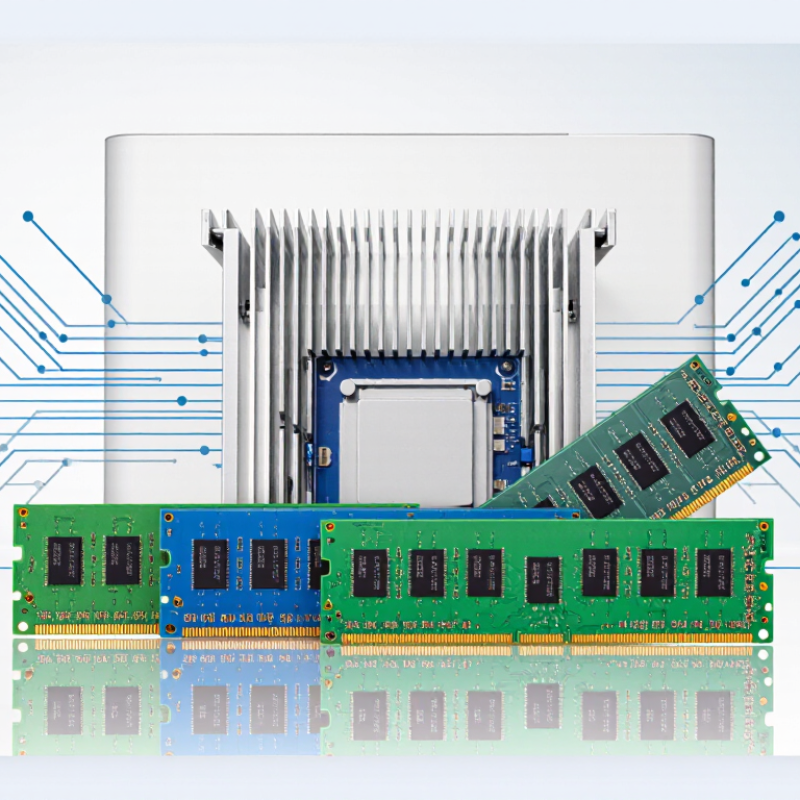
China Top 10 RAM Brands How Does RAM Affect CPU Performance?

What RAM Is and How It Works with a CPU

RAM is the CPU’s working desk. It temporarily stores programs, files, and instructions that the processor needs immediately. When you open a browser or edit a photo, data moves from long-term storage into RAM. The CPU then reads this data through the memory controller. More RAM reduces swapping to slower storage, but it does not automatically make every processor faster. JEDEC’s DDR5 standard begins at 4,800 MT/s, compared with 3,200 MT/s for standard DDR4. Higher transfer rates can improve bandwidth, especially in content creation, scientific workloads, and integrated graphics. Latency still matters. A faster number can disappoint if access delays rise sharply.

Capacity affects smoothness more than peak speed in many daily tasks. A 2024 PC performance database from PassMark shows memory results vary widely across systems, because timings, channels, and processors interact. Dual-channel operation can nearly double available memory bandwidth compared with a single channel under suitable conditions. That benefit is real, but not guaranteed in every application. Some games gain only a few frames per second. I once saw a high-speed kit perform poorly after an incorrect motherboard profile was applied. Hardware is less simple than advertisements suggest.

Tips: Check the motherboard’s supported memory list, enable the correct memory profile, and install matched modules. Monitor usage during real workloads. If RAM usage stays below 70 percent, adding capacity may change little. Test latency and bandwidth together. Bigger numbers are not always better.

How RAM Speed, Capacity, and Latency Affect CPU Performance

RAM affects CPU performance through three linked variables: speed, capacity, and latency. JEDEC’s DDR5 baseline is 4,800 MT/s, compared with 3,200 MT/s for DDR4 (JEDEC, JESD79-5C; JESD79-4). Higher transfer rates increase bandwidth, helping CPUs feed integrated graphics, compression tools, and large simulations. The gain is not always dramatic. In many office workloads, faster RAM may change results by only a few percentage points.

Capacity often matters more than advertised speed. A 16GB system can feel responsive during light work, yet browser tabs, video editing, and virtual machines can quickly consume it. Once memory pressure forces storage paging, CPU time waits on a much slower device. A 2024 professional workstation testing report observed this pattern across content-creation workloads: additional memory improved consistency more than peak benchmark scores. I have seen this personally. A faster system still stuttered when its memory was full.

Latency deserves careful reading. DDR5-6000 CL30 has approximately 10 nanoseconds of first-word latency, calculated as CL × 2,000 ÷ MT/s. DDR4-3200 CL16 produces the same figure. Therefore, a larger speed number does not guarantee a faster response. JEDEC specifications define these timing relationships, but real performance also depends on channels, motherboard training, and the CPU’s memory controller. Some advertised kits need manual tuning, and that part is easy to underestimate. Tests should compare equal capacity, dual-channel operation, and application-specific workloads rather than relying on one synthetic score.

China Top 10 RAM Brands: How Does RAM Affect CPU Performance? — How RAM Speed, Capacity, and Latency Affect CPU Performance
RAM Performance Dimension Representative Configuration or Value Technical Measurement Effect on CPU Performance Most Noticeable In
Memory Speed DDR4-3200 3,200 MT/s; 25.6 GB/s theoretical bandwidth per 64-bit channel Provides the CPU with a defined rate of data transfer. Higher transfer rates can improve throughput when the processor is limited by memory bandwidth. Integrated graphics, scientific computing, data processing, and heavily threaded applications
Memory Speed DDR5-4800 4,800 MT/s; 38.4 GB/s theoretical bandwidth per 64-bit channel Offers approximately 50% more theoretical per-channel bandwidth than DDR4-3200, although real application gains depend on the CPU, memory controller, and workload. Bandwidth-sensitive workloads and newer multi-core platforms
Memory Speed DDR5-6000 6,000 MT/s; 48.0 GB/s theoretical bandwidth per 64-bit channel Can reduce bandwidth-related stalls compared with lower-speed memory when the CPU frequently waits for data from system memory. Content creation, compression, simulation, and selected gaming workloads
Total Capacity 8 GB Suitable for basic desktop tasks, depending on software usage Limited capacity can force the operating system to use storage as virtual memory, causing substantial slowdowns and reducing CPU utilization. Web browsing, office applications, and light multitasking
Total Capacity 16 GB Common baseline for general-purpose computing Provides more room for applications and background processes, helping the CPU avoid performance loss caused by memory pressure. Modern productivity, programming, and mainstream gaming
Total Capacity 32 GB Useful for larger working sets and demanding multitasking Does not automatically make the CPU faster, but it can prevent capacity-related slowdowns when applications require more memory. Video editing, virtual machines, software development, and advanced gaming
CAS Latency DDR4-3200 CL16 Approximately 10.0 ns first-word CAS latency Lower access latency can reduce the time the CPU waits for certain memory requests, particularly in latency-sensitive workloads. Some games, interactive applications, and irregular memory-access workloads
CAS Latency DDR5-4800 CL40 Approximately 16.7 ns first-word CAS latency Higher transfer rate does not always mean lower response time. Latency must be evaluated together with the timing value and data rate. Workloads where response time is more important than peak bandwidth
CAS Latency DDR5-6000 CL30 Approximately 10.0 ns first-word CAS latency Combines high bandwidth with a lower representative CAS latency than DDR5-4800 CL40, subject to platform compatibility and stability. Balanced gaming, creation, and general high-performance systems
Memory Channel Configuration Dual-channel, two matched modules Approximately twice the theoretical channel bandwidth of single-channel operation Allows the CPU memory controller to transfer data over two channels, often producing a larger improvement than a small increase in memory speed. Integrated graphics, multi-core workloads, and bandwidth-sensitive software
Memory Timings Example: CL, tRCD, tRP, and tRAS Measured in memory clock cycles Timings describe delays for different memory operations. A complete comparison should consider all primary timings rather than CAS latency alone. Detailed performance tuning and latency-sensitive applications
CPU Memory Controller Support Processor and motherboard rated memory specification Platform-dependent maximum supported speed and capacity Memory may operate below its advertised rating if the CPU, motherboard, firmware, or module configuration cannot maintain stability at the selected setting. High-speed memory configurations and systems with multiple modules
Working-Set Utilization Active applications fit within installed RAM No frequent paging to storage When the active data set fits in RAM, the CPU can access data much faster than it can from storage. If RAM is exhausted, paging can create severe performance bottlenecks. Multitasking, virtual machines, large projects, and professional applications

Calculation notes: Theoretical bandwidth per 64-bit channel is calculated as MT/s × 8 bytes. Representative first-word CAS latency is calculated as CL × 2000 ÷ MT/s.

Interpretation: RAM capacity prevents memory exhaustion, speed increases potential bandwidth, and latency affects response time. Actual CPU performance also depends on architecture, cache design, memory-channel mode, software workload, and platform compatibility.

China’s Top 10 RAM Brands and Their Key Strengths

China’s ten leading RAM brands cover different user needs rather than one shared formula.

Some focus on affordable desktop modules with reliable daily performance. Others emphasize gaming kits, tighter timings, and higher overclocking headroom. Several specialize in compact laptop memory, while server-oriented makers prioritize ECC support and long operating cycles. Their key strengths often include local supply chains, flexible capacity options, and competitive pricing.

RAM affects CPU performance through speed, latency, and channel configuration. A dual-channel kit can feed the processor more efficiently than one module. Faster memory may improve frame rates in integrated-graphics systems and reduce delays in data-heavy applications. The gains are smaller when the processor or graphics card is already the bottleneck.

Capacity matters too. An 8GB system may pause during browser-heavy work, even with fast memory. More capacity can feel smoother than higher frequency.

Practical testing should include boot stability, memory diagnostics, and several workload types. Check the motherboard’s support list before choosing a kit. Heat spreaders may look impressive, but they do not guarantee better results.

I would not rank these ten makers by speed alone. Warranty terms, quality control, firmware compatibility, and sustained performance deserve equal attention. Some specifications also depend on selected memory chips, so a product label can hide meaningful variation. That is an imperfect point, but it matters.

How to Compare RAM Brands for Different CPU Workloads

Comparing RAM brands starts with the workload, not the product label. For office work, capacity and stability usually matter more than extreme frequency. For gaming, bandwidth and latency can influence frame-time consistency, especially with integrated graphics. JEDEC’s JESD79-5C standard lists DDR5-4800 as a baseline data rate, while faster kits rely on tested memory profiles and stronger motherboard support. Capacity matters.

For video editing, simulation, and large software projects, 32GB may be practical, while 64GB or more prevents storage swapping. A memory supplier should therefore be judged by validated capacity, error rates, heat behavior, and warranty handling. Check the motherboard’s qualified memory list, but do not treat it as absolute proof. Independent laboratory tests often show small gains from higher memory speed in ordinary applications, but larger gains in bandwidth-heavy workloads. A 2024 performance analysis from Puget Systems similarly emphasized that application behavior determines whether faster memory is worthwhile. That is the trap.

CPU performance also depends on memory channels. One module can reduce available bandwidth, even when its advertised speed looks impressive. For workstations, reliability testing and error-correcting support may outweigh attractive timings. For gaming systems, lower latency can be more useful than a headline frequency. SPEC CPU 2017 documentation highlights substantial variation between memory-sensitive and compute-focused workloads. I would compare three results: application completion time, minimum frame rate, and sustained stability. Marketing numbers alone are incomplete. My own cautious view: the “best” RAM brand changes with the CPU, motherboard, and workload. There is no universal winner.

China Top 10 RAM Brands: How Does RAM Affect CPU Performance?

Comparing standard DDR memory data rates and theoretical dual-channel bandwidth across common CPU workloads.

Gaming and general desktop use

Memory speed can improve minimum frame rates and application responsiveness, but CPU architecture and GPU performance often have a larger impact.

Content creation and scientific workloads

Video encoding, simulation, compression, and integrated graphics can benefit more from higher memory bandwidth.

Multitasking and large datasets

Sufficient capacity prevents paging to storage. Once capacity is adequate, additional speed may provide smaller gains than improved latency or CPU efficiency.

Bandwidth values are theoretical figures for a 128-bit dual-channel memory interface, calculated as data rate × 16 bytes. Actual CPU performance varies with processor design, memory timings, capacity, and workload.

How to Choose Compatible RAM for a Balanced Computer System

Choosing compatible RAM is more important than chasing the highest advertised speed.

Check your motherboard manual and CPU specifications first. They identify the supported memory generation, maximum capacity, module type, and recommended voltage. Desktop modules cannot replace laptop modules, even when their specifications look similar. DDR4 and DDR5 also use different physical layouts, so they are not interchangeable.

For a balanced system, two matching modules usually enable dual-channel operation. This can improve responsiveness, especially during gaming, video editing, and large file transfers.

Capacity matters too. Sixteen gigabytes suits many everyday computers, while thirty-two gigabytes gives heavier software more breathing room.

A faster kit may help the CPU, but only when the processor and motherboard can use that speed. Otherwise, the system may reduce it automatically.

I once treated frequency as the main buying factor and overlooked timing and motherboard support. That choice worked, but not perfectly. Check the memory speed, latency, module count, and board’s qualified list together.

Install the modules in the recommended slots, then test stability after enabling the memory profile. A computer that starts quickly but crashes during a long render is not balanced. Leave room for real workloads, not just benchmark numbers.

FAQS

How does RAM speed affect CPU performance?

Faster RAM increases bandwidth, helping integrated graphics, compression, and large simulations. Office applications may improve only slightly.

Is RAM capacity more important than speed?

Often, yes. A 16GB computer may slow when browser tabs, editing software, and virtual machines fill memory. Paging begins.

What happens when RAM becomes full?

The system moves data to storage, which is much slower. The CPU may wait, causing pauses and visible stuttering.

Does a higher memory number always mean lower latency?

No. DDR5-6000 CL30 and DDR4-3200 CL16 both have about 10 nanoseconds of first-word latency.

How is first-word memory latency calculated?

Use this formula: CL × 2,000 ÷ MT/s. The result estimates latency in nanoseconds.

Why can one memory module reduce performance?

One module may operate with less bandwidth than a matched dual-channel kit. The difference can appear in games and data-heavy tasks.

How much RAM suits video editing or large software projects?

32GB is practical for many projects. 64GB or more can reduce storage swapping during heavier workloads.

What should be checked before buying RAM?

Check motherboard support, dual-channel operation, stability testing, warranty handling, and sustained heat behavior. Appearance proves little.

How should RAM be tested for real performance?

Compare application completion time, minimum frame rate, diagnostics, boot stability, and sustained workloads. One synthetic score is incomplete.

What is the best RAM choice for every computer?

There is no universal winner. The right choice depends on the CPU, motherboard, capacity, workload, and stability needs. I may still underestimate tuning.

Conclusion

RAM serves as the CPU’s fast-access workspace, temporarily holding the data and instructions that active programs need. How RAM affects CPU performance depends mainly on its speed, capacity, and latency. Faster memory can improve data transfer, while sufficient capacity prevents slowdowns caused by relying on storage. Lower latency may also help the CPU respond more quickly, especially in gaming, content creation, and other demanding tasks. However, RAM improvements are most valuable when they match the capabilities of the processor and motherboard.

This article introduces China’s top 10 RAM brands by comparing their general strengths, such as product stability, performance options, compatibility, value, and support, without focusing on specific brand names. It also explains how to compare RAM for different CPU workloads and how to select compatible modules based on memory generation, frequency, capacity, timing, voltage, and motherboard limits. A balanced system should combine suitable RAM with a capable CPU, reliable cooling, and appropriate storage so that no single component becomes a major performance bottleneck.

Sienna

Sienna

Sienna is a skilled marketing professional with a deep expertise in our company’s core products and services. With a passion for innovation and detail, she plays a pivotal role in crafting insightful blog posts that not only highlight the unique features of our offerings but also provide valuable......